A-Roll PiP
Your face in the corner, without building a mask
The tutorial look where you sit in the corner while the screen does the talking. You frame it once, against your own footage, and it goes onto every clip that needs it — and gets out of the way on the ones that don't.
How it works
What actually happens
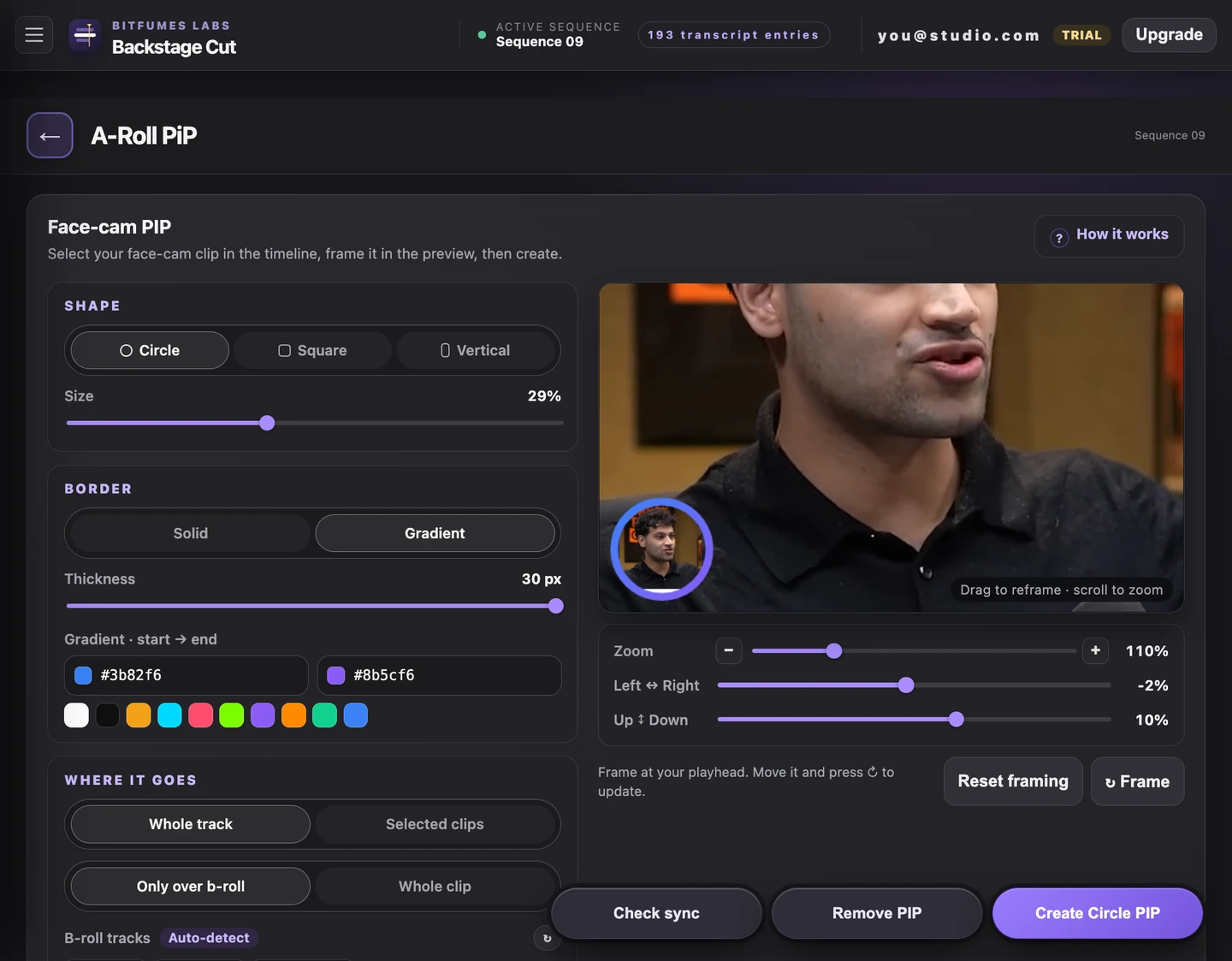
- Frame it by dragging and scrolling in the panel, over the real frame at your playhead
- Circle, square or vertical, at whatever size you set
- Solid or gradient border, with the thickness in pixels
- Goes on every clip on the face-cam's own track, or only the clips you selected
- Runs for the whole clip, or only while B-roll is actually running under it
- Finds your B-roll tracks by their project bin, or you tick the tracks yourself
- Check sync re-measures it afterwards, and Remove PIP takes it back out
Try it on the video
you're editing tonight
7 days of unlimited transcription is plenty for a whole video, start to finish, on your own footage — no card, and nothing to undo if you don't like it.
Also in the panel